/ Steps To Buy Data/Airtime
-
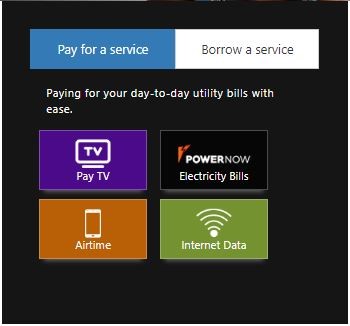
Select Internet Data on your homepage.
-
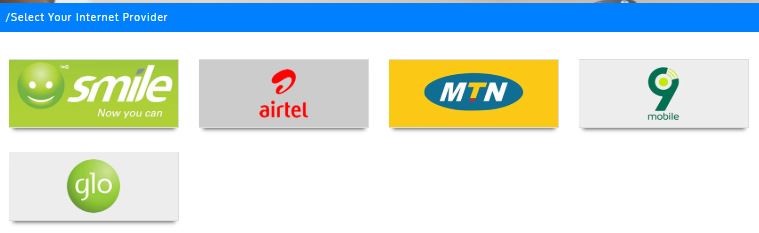
Select your Internet Provider.
-
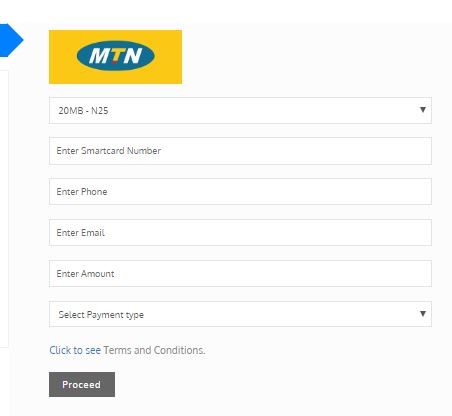
Select and enter the necessary information requested correctly.
-
Click on Proceed.
-
A confirmation page shows and listing out the payment.
-
Click on Proceed.
-
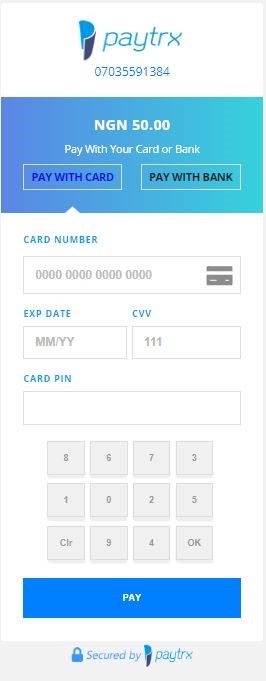
Paytrx payment gateway displays
-
Select either pay with card or Bank
-
If you select pay with card
-
Please enter your ATM card details
-
The ATM numbers
-
Expiry date e.g. 11/22
-
Enter cvv (the 3-digit code at the back of the ATM)
-
Enter your ATM pin using the keypad
-
click on pay (It redirects to another page)
-
Enter OTP sent to your phone from your bank and proceed (It redirects back to the payorboro page)
-
A payment receipt will be displayed.
AIRTIME
-
Select Airtime on your homepage.
-
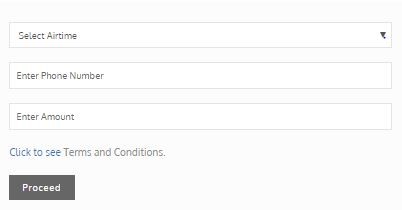
Select and enter the necessary information requested correctly.
-
Click on Proceed.
-
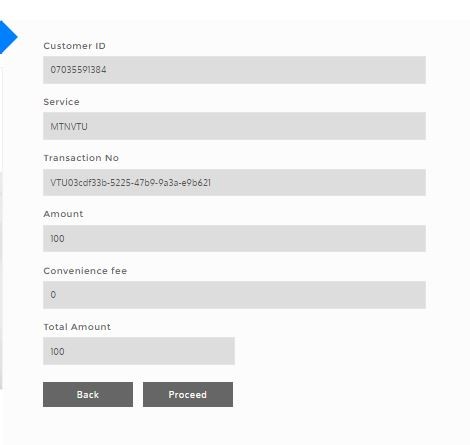
A confirmation page shows and listing out the payment.
-
Click on Proceed.
-
Paytrx payment gateway displays
-
Select either pay with card or Bank
-
If you select pay with card
-
Please enter your ATM card details
-
The ATM numbers
-
Expiry date e.g. 11/22
-
Enter cvv (the 3-digit code at the back of the ATM)
-
Enter your ATM pin using the keypad
-
click on pay (It redirects to another page)
-
Enter OTP sent to your phone from your bank and proceed (It redirects back to the payorboro page)
-
A payment receipt will be displayed.
;